June 4, 2025
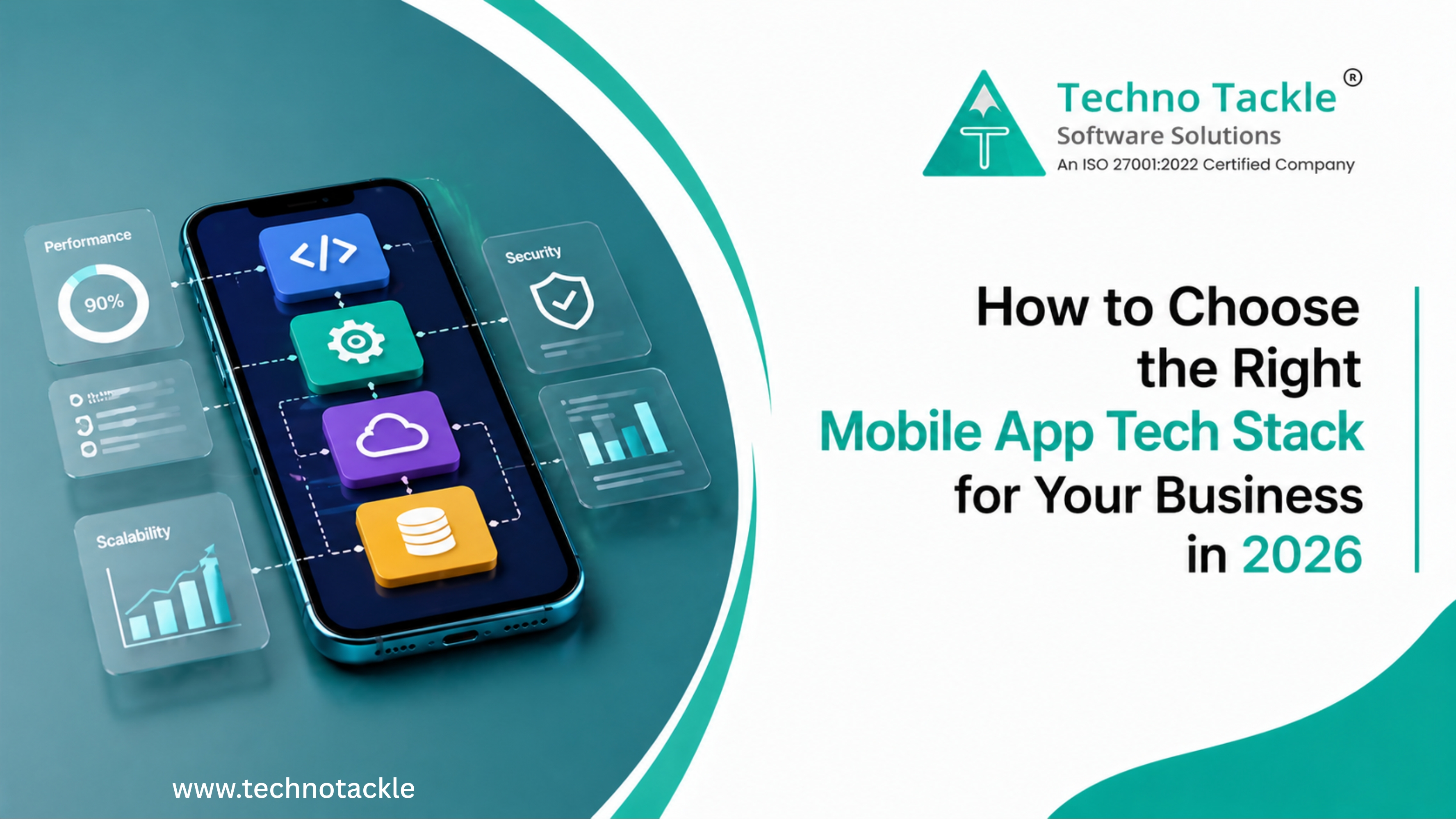
Choosing the wrong mobile app tech stack is one of the most expensive mistakes a business can make in product development. Rebuilding an app's technical foundation after launch , because the original stack couldn't scale, lacked platform performance, or cost too much to maintain , typically costs 60–80% of the original build budget and adds 6–12 months to your timeline.
This guide covers the key factors that determine the right mobile app technology stack for your specific business requirements: performance needs, team capability, budget, timeline, and long-term scalability. It includes a comparison of the most widely used stacks in 2026, with real cost data and a framework for making the final decision.
What Is a Mobile App Tech Stack?
A mobile app tech stack is the combination of technologies , programming languages, frameworks, databases, and cloud infrastructure , used to build and run a mobile application. Every app has a tech stack, whether it was chosen deliberately or by default.
Understanding the components helps you evaluate options with clarity rather than deferring entirely to developer preference.
The four layers of a mobile app tech stack:
Frontend (client layer): The code that runs on the user's device and determines what they see and interact with. This is where the native vs cross-platform decision lives , Swift or Kotlin for platform-native apps, React Native or Flutter for cross-platform, Ionic or Cordova for hybrid.
Backend (server layer): The infrastructure that processes data, runs business logic, and powers the app's functionality. Common choices include Node.js, Python (Django or FastAPI), Ruby on Rails, and Go. For simpler apps, Backend-as-a-Service platforms like Firebase or Supabase reduce complexity significantly.
Database layer: Where your app stores and retrieves data. Relational databases (PostgreSQL, MySQL) handle structured data with complex relationships. NoSQL databases (MongoDB, Firebase Firestore) handle flexible, unstructured data and scale horizontally with less friction.
Cloud and infrastructure layer: Where your app runs. AWS, Google Cloud, and Microsoft Azure dominate enterprise deployments. For startups and early-stage products, managed platforms like Vercel, Railway, and Heroku reduce operational complexity at the cost of some control.
How to Choose the Right Mobile App Tech Stack: 5 Decision Factors
The right stack is not the most technically impressive stack. It is the stack that fits your business requirements, team capability, and budget reality , in that order.
Decision Factor 1: Project Scope and Timeline
Your development timeline directly narrows your stack options. Cross-platform frameworks like React Native and Flutter reduce development time by 30–50% compared to building separate native apps for iOS and Android. For businesses that need to launch on both platforms within 3–6 months, cross-platform is typically the only viable option.
The important caveat: cross-platform speed comes with trade-offs. Some apps built in React Native require platform-specific rewrites later as performance demands increase or platform guidelines change. A fintech startup that builds an MVP in React Native may find, 18 months later, that security requirements and platform performance standards necessitate a full or partial native rewrite , a process that takes 4–6 months and is not in the original budget.
Questions to resolve before choosing:
-
Do you need to launch simultaneously on iOS and Android?
-
Is time-to-market a competitive differentiator or can you afford a phased launch?
-
What is your tolerance for technical debt in exchange for speed?
-
Is this an MVP for validation, or a production app expected to scale immediately?
Decision Factor 2: Performance Requirements
Not all apps have the same performance demands. A content delivery or e-commerce app can tolerate slightly lower performance benchmarks. A real-time trading platform, a high-frame-rate gaming app, or an AR/VR experience cannot.
Native development , Swift for iOS, Kotlin for Android , consistently delivers 20–30% better performance than cross-platform equivalents because it has direct access to device hardware and platform-specific APIs without an abstraction layer. For most business apps, this difference is imperceptible to users. For apps with real-time data processing, complex animations, or hardware-intensive features, it is critical.
The hybrid approach used by large applications (Spotify uses native for its core music streaming engine but React Native for settings and profile screens) is worth noting for businesses building complex apps: you do not have to choose a single approach for the entire application.
Choosing the Right Frontend Framework Based on App Performance Requirements
Selecting the right frontend framework is one of the most important decisions in mobile app development, as performance requirements vary significantly by application type. For e-commerce platforms, content-driven applications, and social or community apps, cross-platform frameworks such as React Native and Flutter provide an excellent balance of performance, faster development, and lower costs. Enterprise productivity applications can also benefit from Flutter, although native development may be preferred when deeper platform integration is required. Apps that rely on real-time communication, such as messaging or video conferencing, demand higher performance and lower latency, making native development the recommended choice. For financial and trading applications, gaming, AR/VR experiences, and healthcare apps with device integration, where speed, security, hardware access, and responsiveness are critical, native development is essential to deliver the best user experience. Ultimately, the right technology stack should be chosen based on your app's functionality, performance expectations, scalability goals, and long-term business objectives rather than development cost alone.
Decision Factor 3: Team Expertise
Technology choices that require skills your team doesn't have add 2–3 months to your timeline and 25–40% to your development cost during the learning curve. This is real money and real time, not a theoretical risk.
Assess your team's current skills honestly before making a technology decision:
-
JavaScript/TypeScript developers: React Native is the natural extension. Flutter requires learning Dart, which has a moderate learning curve for JS developers.
-
Mobile specialists: If you have iOS or Android developers, native development leverages their existing expertise without retraining cost.
-
Full-stack web developers: React Native or Flutter, depending on background. Backend-as-a-Service options reduce the backend learning curve significantly.
-
No existing mobile expertise: Consider a specialist agency or staff augmentation rather than internal development , the hidden cost of internal teams learning mobile development from scratch frequently exceeds the cost of bringing in experienced practitioners.
Decision Factor 4: Scalability Planning
The Instagram case study is worth examining specifically: Instagram was built on Django and PostgreSQL and scaled from zero to 100 million users on that foundation. But Instagram also had exceptional engineering talent managing that stack. Most businesses do not. The lesson is not "use Django and PostgreSQL" , it is "cloud-native architecture, proper database design, and horizontal scaling capability matter from the start."
Scalability considerations by app type:
-
Consumer apps with unpredictable traffic spikes: Cloud-native architecture with auto-scaling is essential. AWS, GCP, or Azure with containerised deployment (Kubernetes or ECS) rather than fixed server infrastructure.
-
B2B enterprise apps with predictable loads: Managed infrastructure (RDS for databases, EC2 or equivalent for application servers) with well-defined scaling thresholds.
-
Apps with global user bases: Multi-region deployment and CDN integration from the architecture phase, not added later.
-
Data-heavy apps: Database choice at day one determines how painful scaling becomes. Choosing a NoSQL database for a use case that evolves to need complex relational queries is an expensive mistake to fix.
Decision Factor 5: Budget Reality
Your budget plays a major role in determining the type of mobile app you can build, but many businesses focus only on the initial development cost and overlook the ongoing expenses required to keep an app secure, updated, and competitive. In 2026, a simple MVP typically costs less and is ideal for validating an idea quickly, while mid-complexity applications with advanced features require a larger investment and longer development timeline. Complex enterprise-grade apps with extensive integrations, custom functionality, and scalable architecture demand a significantly higher budget but provide greater long-term business value. The choice of technology also affects costs—hybrid development is generally the most affordable option, cross-platform frameworks such as React Native and Flutter offer a balance between cost and performance, and native development delivers the highest performance and flexibility at a premium price. Beyond the initial build, businesses should budget 15–20% of the original development cost annually for maintenance, including security updates, operating system compatibility, bug fixes, performance improvements, and feature enhancements. Planning for both development and long-term maintenance from the outset helps avoid unexpected expenses, ensures a better user experience, and supports sustainable growth as your application evolves.
Hidden costs most businesses underestimate:
-
Third-party API and service costs (payment processing, analytics, notifications, maps) that scale with user volume
-
App Store and Google Play developer accounts and submission requirements
-
GDPR and data compliance costs if your app handles UK/EU user data
-
Performance monitoring and error tracking tools
-
Customer support infrastructure as users increase
Mobile App Technology Stack: Native vs Cross-Platform vs Hybrid
This is the most consequential decision in your tech stack selection. Every other choice flows from it.
Native App Development
Building separate applications in the platform's primary language , Swift or Objective-C for iOS, Kotlin or Java for Android.
Advantages:
-
Best possible performance and access to device hardware
-
Full access to platform-specific features and APIs as they are released
-
Highest fidelity to platform design guidelines , apps feel like they belong on the platform
-
Preferred choice for apps requiring tight hardware integration (camera, sensors, Bluetooth, NFC)
Disadvantages:
-
Two separate codebases to maintain , iOS and Android teams, separate sprints, separate releases
-
Higher initial development cost (typically 40–60% more than cross-platform)
-
Slower feature parity between platforms , a feature shipped on iOS may take weeks longer to ship on Android if teams are not synchronised
Best for: Apps where performance is critical, where platform-specific features are core to the product, or where the business has the budget and timeline for parallel native development.
Cross-Platform Development
cross-platform mobile development building a single codebase that compiles to native performance on both iOS and Android. The two dominant frameworks are React Native and Flutter.
React Native:
-
Developed and maintained by Meta (Facebook)
-
Uses JavaScript/TypeScript , accessible to web developers
-
Large ecosystem, extensive third-party library support
-
Powers significant parts of Facebook, Instagram, and Shopify mobile apps
-
Limitation: JavaScript bridge to native APIs can introduce performance overhead in complex UI scenarios
Flutter:
-
Developed and maintained by Google
-
Uses Dart , a less common language with a learning curve for JS/Python developers
-
Compiles to native ARM code , performance closer to native than React Native
-
Consistent UI across platforms (renders its own widgets rather than using platform components)
-
Growing rapidly , now the most popular cross-platform framework by GitHub stars
-
Powers Google Pay, BMW app, and eBay Motors
React Native vs. Flutter: Which Cross-Platform Framework Should You Choose?
React Native and Flutter are the two leading frameworks for cross-platform mobile app development, but each offers distinct advantages depending on your project requirements. React Native uses JavaScript or TypeScript, making it an excellent choice for teams with existing web development expertise. It leverages native UI components, has a mature ecosystem, and benefits from a large developer community, enabling faster hiring and access to a wide range of third-party libraries. Flutter, on the other hand, uses Google's Dart programming language and compiles directly to native code, delivering superior performance and smoother animations. Its custom rendering engine provides consistent UI across both iOS and Android, making it ideal for applications where visual consistency and performance are top priorities. While Flutter has a slightly steeper learning curve, it continues to grow rapidly and is well suited for performance-intensive cross-platform applications. Ultimately, the best framework depends on your team's expertise, project complexity, performance requirements, and long-term maintenance strategy. React Native is often preferred for content-driven and business applications, while Flutter is an excellent choice for feature-rich apps that demand high performance and a polished user experience.
Hybrid App Development
Building a web application (HTML, CSS, JavaScript) that runs inside a native browser shell , giving it access to an app store distribution and some device APIs. Common frameworks: Ionic with Capacitor, Apache Cordova.
Advantages:
-
Lowest initial development cost
-
Fastest time to market for simple applications
-
Single codebase, web skills fully transferable
Disadvantages:
-
Noticeably lower performance than native or cross-platform
-
Limited access to device hardware
-
App store reviewers occasionally reject hybrid apps that don't meet platform experience guidelines
-
User experience often feels less polished than native equivalents
Best for: Internal enterprise tools where performance and UX polish matter less than cost; content-heavy apps where web performance is adequate; businesses testing demand before committing to a full native build.
Technology Stack for Mobile App Development: Proven Combinations
These stack combinations have consistent track records for specific business requirements. They are not the only options , they are the options with the deepest talent pools, most extensive documentation, and most third-party tooling support.
best mobile app development tools and software in 2026
The Fast MVP Stack
Use when: Validating demand before committing to a full build budget.
-
Frontend: React Native or Flutter
-
Backend: Node.js with Express, or Firebase for serverless
-
Database: Firebase Firestore or MongoDB Atlas
-
Cloud: Google Cloud Platform or AWS Amplify
-
Auth: Firebase Authentication or Auth0
-
Estimated build time: 6–16 weeks for a 10–15 screen MVP
Real-world example: A marketplace app with user profiles, listings, search, and basic messaging can be built to this spec in 8–12 weeks with a team of 2–3 cross-platform developers.
The Performance-First Stack
Use when: Your app requires real-time data, complex UI, or hardware integration.
-
Frontend: Native Swift (iOS) + Kotlin (Android)
-
Backend: Go or Node.js for high-performance APIs
-
Database: PostgreSQL with Redis caching for high-read workloads
-
Cloud: AWS with Kubernetes for container orchestration
-
Monitoring: Datadog or New Relic
-
Estimated build time: 20–40 weeks for equivalent feature set to Fast MVP Stack
Real-world example: A fintech payment app, real-time logistics tracker, or health monitoring app with Bluetooth device integration.
The Enterprise Stack
Use when: Security, compliance, integration with enterprise systems, and long-term maintainability are the primary requirements.
-
Frontend: Native with shared business logic layer (Kotlin Multiplatform)
-
Backend: Java Spring Boot or .NET Core
-
Database: PostgreSQL or Microsoft SQL Server
-
Cloud: Microsoft Azure or AWS with enterprise support agreements
-
Security: Regular penetration testing, ISO 27001 or SOC 2 compliance pathway
-
Estimated build time: 6–18+ months depending on integration complexity
Real-world example: An enterprise field service app that integrates with SAP, handles offline data sync, and requires GDPR-compliant data handling for UK and EU employees.
Mobile Apps for Businesses: What Decision-Makers Need to Know
Technical teams make technology decisions. Business leaders approve budgets and timelines. The gap between these two perspectives frequently produces expensive misalignments.
Full guide to building and launching
What business decision-makers should insist on before approving a tech stack:
Vendor and framework longevity: Is the framework actively maintained by a stable organisation? React Native is maintained by Meta. Flutter is maintained by Google. Angular is maintained by Google. These are safe bets. A smaller open-source framework with an uncertain maintenance roadmap introduces future risk that rarely appears in initial developer recommendations.
Talent availability for ongoing maintenance: Once your app is built, you need developers who can maintain and extend it. How many developers with this stack are available in your hiring market? A stack built on a niche framework may save money in year one and become a hiring problem in year two.
Total cost of ownership, not just build cost: The initial development budget is one year's cost. Maintenance, infrastructure, API costs, and future feature development will continue for the life of the product. A cheaper initial build that requires expensive specialists to maintain is often more expensive over three years than a slightly more expensive build in a mainstream stack.
Exit and transition options: If you need to switch agencies, bring development in-house, or significantly change direction, how difficult is that with the chosen stack? Mainstream stacks with large developer pools give you options. Proprietary or unusual technology choices limit them.
Best Technology for Mobile App Development: Common Mistakes to Avoid
These are the patterns that consistently add cost and delay to mobile app projects.
Technology FOMO
Choosing a framework because it is new, trending, or because another company used it , rather than because it fits your specific requirements , is one of the most common causes of unnecessary rebuilds. Blockchain, AI integration, and IoT connectivity add genuine value in specific contexts. Adding them because they are impressive rather than because they solve a real user problem adds cost and complexity without proportional benefit.
The test: Can you articulate in one sentence how this technology choice makes your specific user's experience better? If not, it may be technology FOMO rather than a strategic decision.
Over-Engineering the First Version
Building the infrastructure for 10 million users when you have 100 is a waste of development budget and time. Microservices architecture, distributed caching, multi-region deployment , these are the right choices at scale. They are an expensive distraction for an app still finding product-market fit.
Start with the simplest architecture that works correctly. Add sophistication when the data , user numbers, transaction volume, latency metrics , tells you that you need it, not when it feels responsible to prepare for it.
Ignoring Platform Guidelines
iOS and Android have specific, well-documented design and interaction guidelines. Apps that ignore them in favour of a fully custom design feel foreign to users on each platform and frequently fail App Store review for guideline violations.
Cross-platform frameworks have improved significantly at respecting platform conventions, but the responsibility for following guidelines lies with the development team, not the framework.
Underestimating Data Architecture
Database choices made in week one of development frequently become the most expensive technical decisions in the life of the product. A NoSQL database chosen for its flexibility in early development becomes painful when the product needs complex relational queries. A relational database chosen for structured data becomes a bottleneck when the app needs to store and query unstructured user-generated content at high volume.
Invest appropriate time in data modelling before choosing a database technology. The data structure your product needs in year two is usually predictable from a careful analysis of the product requirements in year one.
How to Make the Final Tech Stack Decision
Choosing the right technology stack is about finding the best fit for your business goals rather than simply selecting the most popular framework. A structured evaluation process helps ensure your decision balances technical requirements with long-term scalability and cost. Start by assessing how well each technology supports your project scope, delivery timeline, and core feature set, as these factors have the greatest impact on project success. Next, evaluate whether the stack can meet your application's performance expectations, especially if it includes real-time communication, AI capabilities, or hardware integrations. Consider your team's existing expertise to reduce onboarding time, development risks, and maintenance costs. You should also assess how well the technology can scale as your user base and feature requirements grow. Finally, compare the total cost of ownership—not just the initial development expense, but also ongoing maintenance, infrastructure, updates, and future enhancements. By scoring each option against these key criteria, businesses can make an informed, objective decision that aligns with their technical needs, budget, and long-term growth strategy.
How TechnoTackle Helps Businesses Choose the Right Mobile App Tech Stack
The technology decision is one of many things that needs to go right for a mobile app to succeed. Choosing between React Native and Flutter matters less than having a clear product specification, a realistic timeline, and a development team that has built similar products before.
TechnoTackle works with UK and US businesses to define their mobile app requirements, evaluate technology options against those requirements, and build production-ready mobile applications. Our team has experience across React Native, Flutter, and native iOS and Android development, which means our recommendations are driven by your requirements rather than our technology preferences.
If you are at the technology evaluation stage and want a direct assessment of which stack fits your specific product, [book a free 30-minute consultation →]. We will review your requirements and give you a clear recommendation with the reasoning behind it , not a sales pitch for a particular framework.
Frequently Asked Questions
What is a mobile app tech stack? A mobile app tech stack is the combination of programming languages, frameworks, databases, and cloud infrastructure used to build and run a mobile application. It includes four layers: frontend (what users interact with), backend (the server logic), database (data storage), and cloud infrastructure (where the app runs).
What is the best technology stack for mobile app development? There is no single best stack , the right choice depends on your performance requirements, team expertise, budget, and timeline. For most business apps requiring fast time-to-market on both iOS and Android, React Native or Flutter are the most practical choices. For apps requiring maximum performance or tight hardware integration, native development (Swift for iOS, Kotlin for Android) is the correct choice.
What is the difference between native, cross-platform, and hybrid mobile apps? Native apps are built separately for iOS (Swift) and Android (Kotlin) , best performance, highest cost. Cross-platform apps (React Native, Flutter) use a single codebase that compiles to near-native performance on both platforms , 30–50% faster to build, slightly lower performance ceiling. Hybrid apps run web code inside a native shell (Ionic, Cordova) , fastest and cheapest to build, lowest performance and UX quality.
How much does it cost to build a mobile app in 2026? A simple MVP with 5–10 screens costs approximately £25,000–£80,000 depending on whether you choose cross-platform or native development. Mid-complexity apps with 10–25 screens range from £50,000–£180,000. Complex enterprise apps with 25+ screens and system integrations can exceed £200,000. Annual maintenance costs typically run at 15–20% of the initial build cost.
Should I use React Native or Flutter for my business app? React Native is the better choice if your team has JavaScript expertise or if you need the largest possible ecosystem of third-party libraries. Flutter is the better choice if performance is a priority for a cross-platform build, or if you want more consistent UI across platforms. Both are legitimate choices for business apps , the decision should be driven by team expertise and performance requirements.
What mobile app tech stack is best for startups? For most startups prioritising speed and cost, React Native or Flutter with a Node.js backend and Firebase or PostgreSQL database is the most pragmatic choice. This combination gives you iOS and Android from a single codebase, a large developer talent pool, and enough scalability to reach significant user numbers before needing to rearchitect. If your startup's core product requires performance that cross-platform cannot deliver, invest in native from the start , a React Native to native rewrite is expensive.
How do I choose between a managed backend service and a custom backend? For MVPs and early-stage products, managed Backend-as-a-Service platforms (Firebase, Supabase, Appwrite) reduce development time and operational complexity significantly. As your product scales and your data and business logic requirements become more specific, the limitations of managed services often justify building a custom backend. The transition from managed to custom backend is planned, not avoided , design your data layer with that transition in mind from the start.